for music producers
Turn a track you love into a DAW-ready arrangement.
Drop in a reference song. ArrangeMap maps its structure and instruments, you swap in your own sounds, and it exports a multi-track project for any DAW. On your Mac, in minutes.
Free to try one full song · £9.99 one-time to keep going · Apple Silicon & Intel
How it works
Four steps, one track to a finished arrangement.
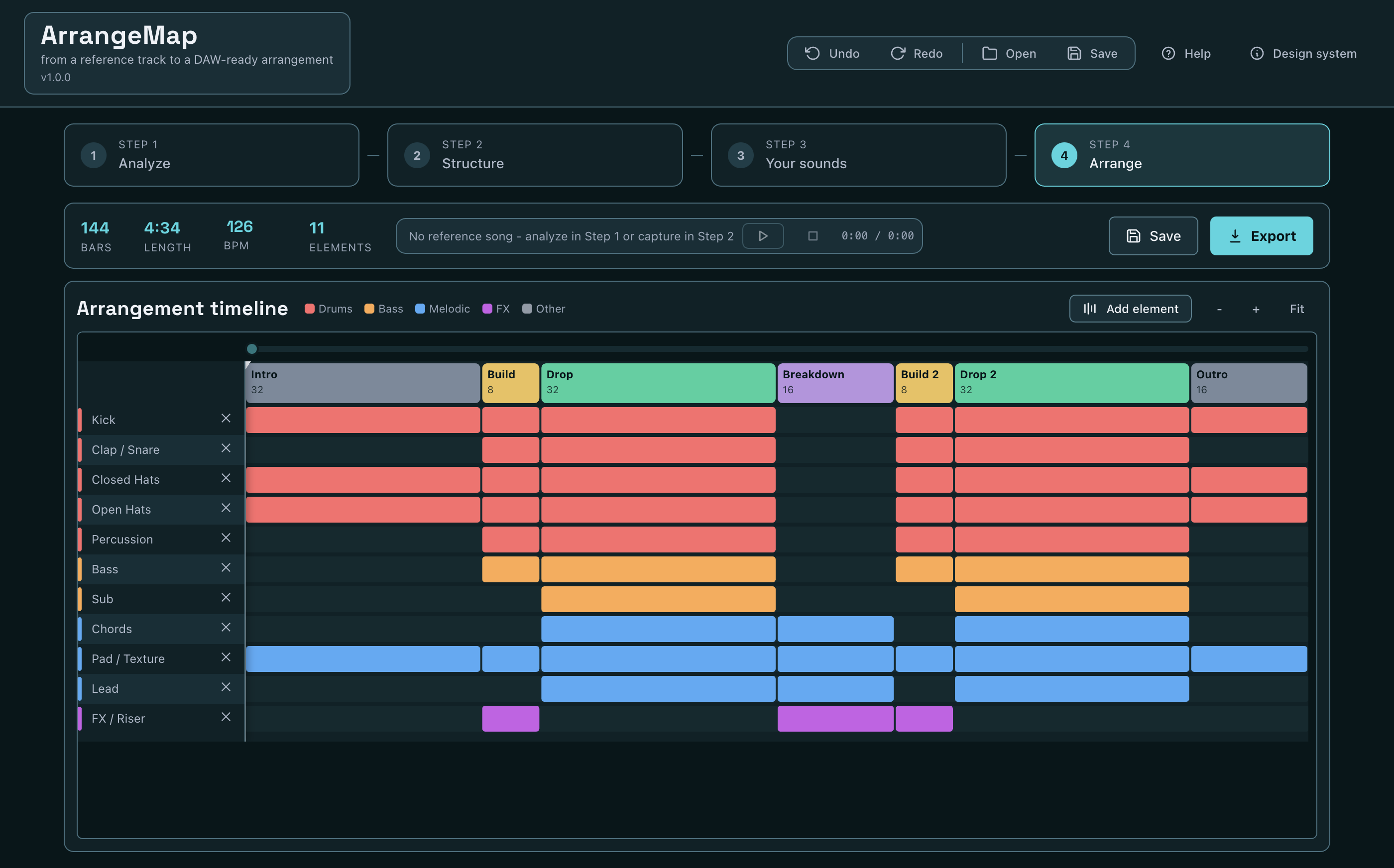
Analyze
Drop in a reference track. A local AI engine separates the mix into its parts to detect the song’s sections and which instruments play where, then builds a starting arrangement.
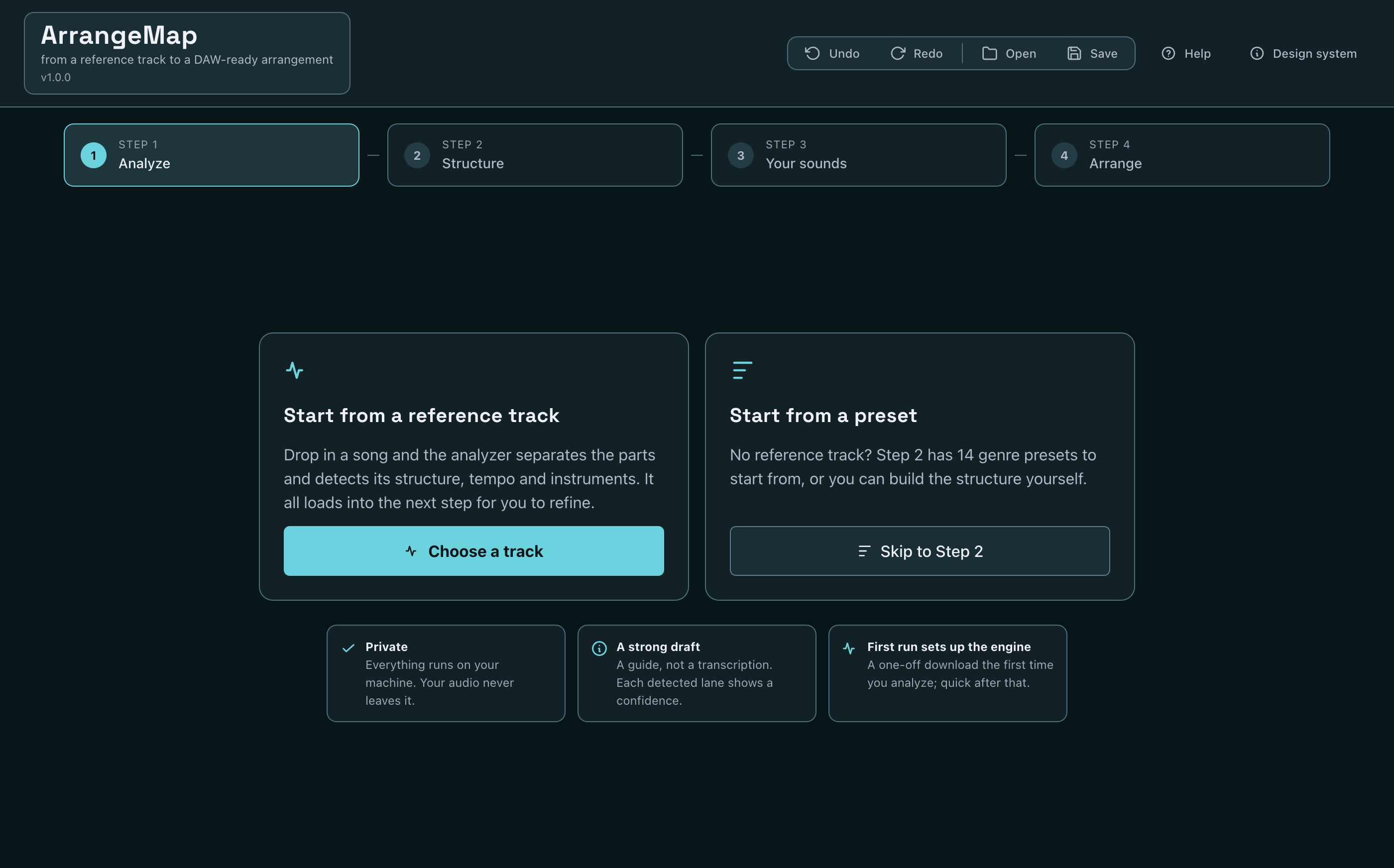
Structure
Fine-tune the sections and energy, start from one of 130+ genre presets across 16 genres, or capture a song’s structure by tapping its tempo and marking the parts.
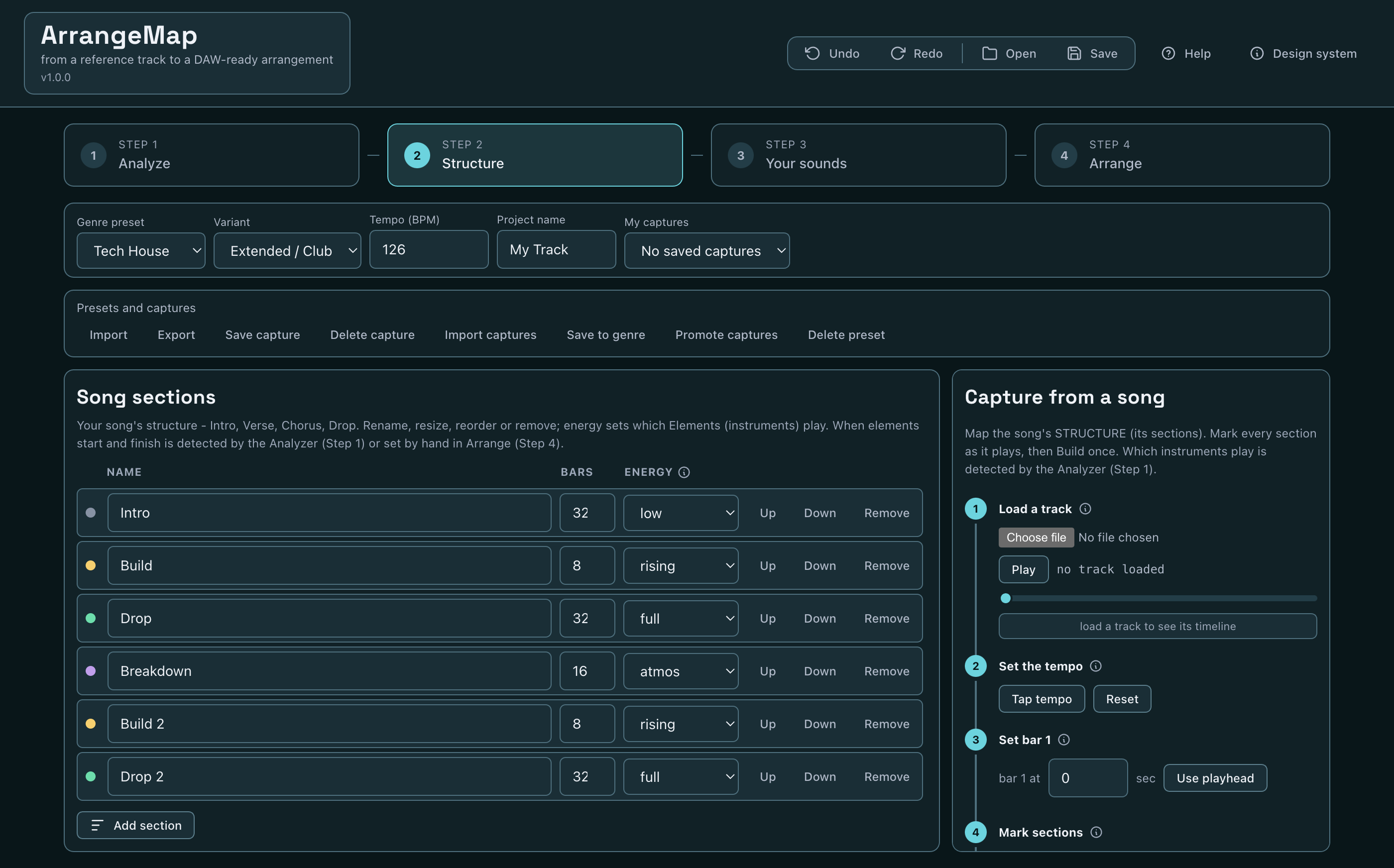
Your sounds
Drop in your own loops and MIDI. ArrangeMap auto-assigns each file to the closest instrument by name, so a folder of loops lands in seconds.
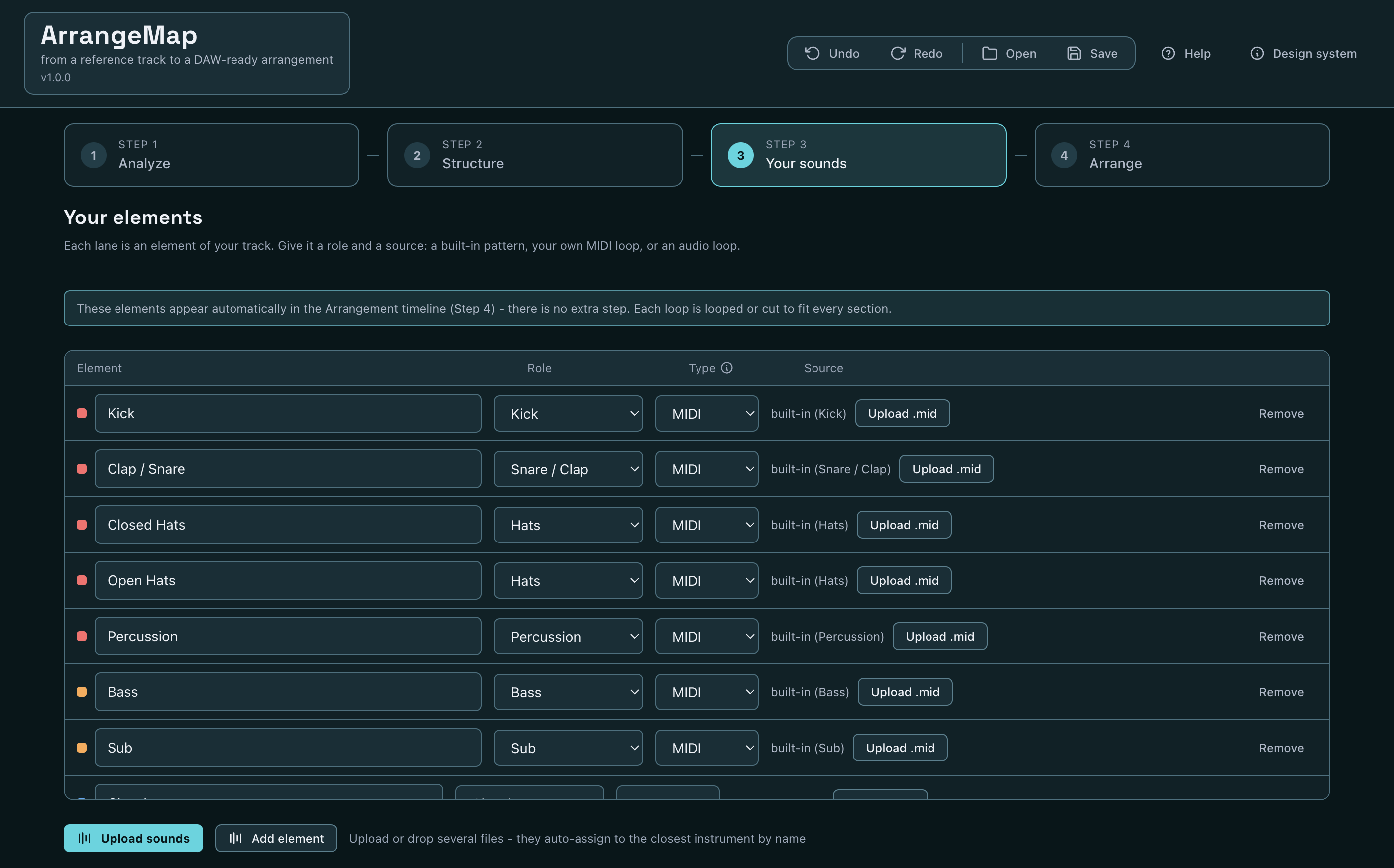
Arrange
A timeline with resizable clips, with the reference song playing in sync so you arrange against the original. Then export.
Features
Everything you need to get from idea to DAW.
DAW-ready export
A multi-track MIDI structure map (one labelled track per element, with section markers) plus your rendered WAV stems, all aligned from bar 1. Drag it straight into any DAW.
On your machine
The stem separation runs locally. Your audio never leaves your Mac. The only network use is a one-time setup download.
Your sounds, fast
Multi-upload with smart auto-assign by filename. Or use the built-in patterns and genre presets to start.
130+ genre presets
A proven starting structure for 16 genres - House, Tech House, Techno, Hip-Hop and more. Pick a genre and build from a real arrangement, not a blank page.
Real structure detection
Sections, energy and per-instrument activity are detected, not guessed at random - a strong first draft you refine.
Built to feel fast
The timeline auto-fits, the engine is pre-warmed on first run, and everything is one guided four-step flow.
One-time price
No subscription. Buy it once, keep it. Try a full song free before you pay.
Private by design
Your music stays yours.
ArrangeMap analyses your reference tracks locally, using a model on your own machine. Nothing is uploaded. The only time it touches the internet is the one-off setup download on first run.
Pricing
Simple. One-time.
- The full four-step workflow
- Multi-track structure-map MIDI + your WAV stems
- Local, private analysis
- Free updates within v1
Try one full song free first. Already bought? Download and enter your key in the app.
FAQ
Good to know.
How does the free trial work?
You can run the whole flow - analyze, arrange, and export one full song - for free. After that first export, a one-time £9.99 unlocks unlimited exports. No subscription.
Why does it download something on first run?
The analyzer uses a local AI model (Demucs). The first time you set it up, ArrangeMap downloads and installs it (about 1-2 GB, a few minutes, needs the internet once). After that everything runs offline on your machine.
Does my audio get uploaded anywhere?
No. Analysis runs entirely on your Mac. Your reference tracks never leave your device.
What are the system requirements?
macOS on Apple Silicon or Intel. The download is a universal build that runs on both.
Can I get a refund?
Yes - because you can try a full song free before buying, but if it is not for you, see our refund policy.
Is it a transcription?
It is a strong starting draft, not a note-for-note transcription. Detected parts come with a confidence and everything is yours to edit.